
Codes
My Grass Farm Roblox codes September 2026: MERCHANT, BLACKHOLE, Letitgrow, RELEASE — full August split history.
View all CodesWorking Roblox codes, worker tiers, and farm money guides.
Fan wiki for My Grass Farm on Roblox with working codes, worker tiers, rare grass types, and money-fast farm guides.

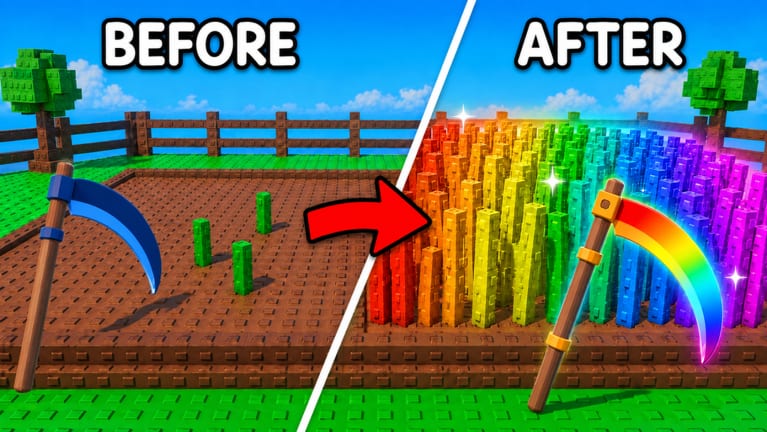
My Grass Farm is a free Roblox tycoon from One More Grass. You cut grass for hay, process hay into Cash, then spend that Cash on sharper blades, extra land, and workers who keep mowing while you are offline. Servers hold up to six players. Start with the Getting Started walkthrough, redeem working codes before they expire, then use the worker tier list and the upgrade planner so early Cash is not wasted. When a patch lands, check Updates and the Discord link.
My Grass Farm Roblox codes September 2026: MERCHANT, BLACKHOLE, Letitgrow, RELEASE — full August split history.
View all CodesMy Grass Farm Roblox guides for first cuts, fast Cash, hiring workers, rare grass, and expanding your farm plot.
View all GuidesMy Grass Farm tier lists for workers, grass types, and upgrades so you spend Cash on what actually grows more hay.
View all Tier ListMy Grass Farm worker roster: starter Farmer, Pirate code crew, specialists, and how they feed the leaderboard grind.
View all WorkersMy Grass Farm patch tracker for merchant content, codes, and what changed after the July 2026 Roblox launch week.
View all UpdatesMy Grass Farm scripts overview: auto collect, auto buy workers, money reserve, and why executors can cost accounts.
View all ScriptsMy Grass Farm tools: upgrade spending order and an offline checklist so hay still flows after you log out later.
View all ToolsOfficial My Grass Farm links: Roblox experience, Discord codes channel, and why there is no public Trello board.
View all LinksLoad [My Grass Farm on Roblox](https://www.roblox.com/games/98073123711869/My-Grass-Farm), complete the intro, learn the controls if the HUD feels new, then open Settings and claim every string on the codes hub using the redeem steps.
Do not hoard starting Cash. Follow Getting Started and the upgrade planner so your blade and first Farmer start paying immediately.
Workers keep cutting while you are away. If RELEASE paid, operate Pirate Farmers first. Then read how to hire workers and compare roles on the worker roster before you buy duplicates.
Rare and rainbow grass change how much a cut is worth. Use the rare grass guide and the grass type tier list before dumping Cash into Rolls.
Land only helps if hay still converts to Cash. Pair how to expand the farm with the offline farm checklist so a bigger field does not sit idle.
Quick answers to the most common farm questions.
Read Getting Started, redeem working codes, then follow how to make money fast so the first hour is not wasted on the wrong shop.
Yes. Hired workers keep cutting grass after you leave. Set a money reserve so they can still buy upgrades, and prefer roles ranked on the worker tier list.
No. This is a fan-made My Grass Farm resource. Confirm codes and patches on the Roblox experience page or the official Discord. There is no public Trello board.
English at the root path, plus French, German, Spanish, and Brazilian Portuguese. Legal pages stay on the English URLs.
Finish the tutorial, tap the gear in the top-right, open the CODES box, paste a code exactly, and press Enter. Full flow: how to redeem codes. If nothing happens: codes not working.
Roblox WASD or thumbstick, on-screen swing, and the upper-right gear for codes. The controls guide covers PC and phone; beginner mistakes covers the shop clicks that stall a new plot.
Redeem **RELEASE** after the tutorial. Strings and the late-August list split live on the codes hub. How to run the crew is on Pirate Farmers.
Third-party executors can break Roblox rules and cost an account. If you still research them, read the scripts hub and the safety notes first.
Claim codes, hire from the worker roster, then follow how to make money fast so your plot keeps paying while you are away.
Start with the beginner guide