
Getting Started in My Grass Farm
Your first hour on the Roblox plot: cut, process, redeem, hire, then upgrade in the right order.
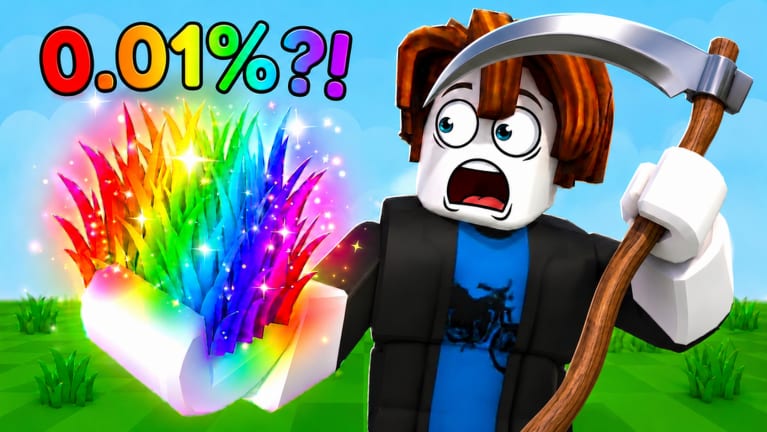
My Grass Farm looks simple because the first action is a swing. The game becomes a tycoon the moment hay turns into Cash and that Cash can hire someone else to swing for you. This Getting Started page is the onboarding path we wish the tutorial spelled out: finish the intro, take the launch codes, spend on speed and a worker, then leave the session with a plan for offline hay.
You are playing a live Roblox experience from One More Grass, free to start, with up to six players on a server. Your farm is still yours. Other avatars are not there to raid your silo; they are other farmers in the same place. Focus on your fence.
The core loop in plain language
Walk onto the grass, cut it with your blade, pick up hay, and process that hay into Cash. Stronger blades cut faster. Better Grass Types pay more per cut. Workers copy your job when you are gone. Land gives them more tiles to cut. That is the entire economy. If a shop item does not feed this loop, it is a luxury.
Movement uses normal Roblox controls: thumbstick or WASD, jump, camera drag. The important buttons are on-screen—shop, workers, Settings. We do not invent extra hotkeys. The full PC and phone layer lives on controls. If a prompt appears during the tutorial, follow it; those prompts unlock the CODES box. If you already bought luck first or saved a code, jump to beginner mistakes after this page.
Minute one through minute ten
Cut the starter green grass until you can process a stack of hay. Do not stand still waiting for a script. Feel how slow the first blade is. That frustration is why Cut Speed exists. Open Settings only after the tutorial says you are done. Try MERCHANT, RELEASE, and BLACKHOLE using how to redeem codes. Lists split on 24 August 2026, so one failure is not a broken box—check the codes hub. RELEASE’s 600 Cash and four Pirate Farmers are still the best tutorial gift if Settings accepts them. MERCHANT’s Grass Type is the first quality upgrade.
If a code fails, check the codes hub and expired codes. Then come back. Do not rage-buy Rolls because a string failed.
How to spend the first Cash
Open the upgrade planner if you want a checklist. The short version: buy Cut Speed until swings feel less sticky, confirm your Pirate Farmers are actually working, then look at Silo Rate so hay converts instead of piling up. Land can wait until workers have a reason to walk farther. Luck shops can wait until you can afford to miss.
Read how to make money fast once the first upgrades land. That page is the same loop with fewer training wheels.
Hiring without going broke
You already own Pirate Farmers if RELEASE worked. Treat them as your offline team. Extra named workers—Scientist, Robot, DarkLord, Tentoes—look exciting and can wait. Compare them on the worker roster and the worker tier list before you copy a thumbnail. How to hire workers explains why one good Farmer beats five decorations.
If you have no Pirate Farmers, buy a basic Farmer as soon as Cut Speed is tolerable. Offline hay is the feature that separates this tycoon from a clicking toy.
First rare grass thoughts
MERCHANT may already have given you a better type. Rainbow clumps in the official art are chase items, not a beginner assignment. How to get rare grass covers Rolls, Pure Luck, and Mutation Luck without pretending we have a leaked drop table. Do not empty your Cash bar on luck before the silo is healthy.
Before you log off
Run the offline farm checklist: workers assigned, stands not jammed, a little Cash reserved so they can keep buying if your script-free farm allows auto upgrades later. Then close Roblox. The point of Getting Started is that the plot still works without you.
When you return, either expand with how to expand your farm or check Updates if a patch dropped. Join the official Discord for codes; ignore fake Trello links. The Roblox experience page is the other official door.
If you only remember four steps: finish the tutorial, try the live strings on the codes hub, buy Cut Speed, leave workers on the grass. Everything else on this wiki is a refinement of those four.
Frequently Asked Questions
Quick answers to the most common farm questions.
How do you play My Grass Farm?
Cut grass, process hay into Cash, upgrade your blade, hire workers, and expand the plot. Start with codes, then follow this page and make money fast.
What should I buy first?
Cut Speed, then make sure workers are cutting. Use the upgrade planner so you do not waste RELEASE Cash on luck.
Do I need friends to play?
No. Servers hold six players, but your farm progresses without a party. Online presence does not mean you must co-op the shop.
When should I hunt rainbow grass?
After the basic loop is stable. Read rare grass and the grass tier list before dumping Cash into Rolls.